Follow the spend.
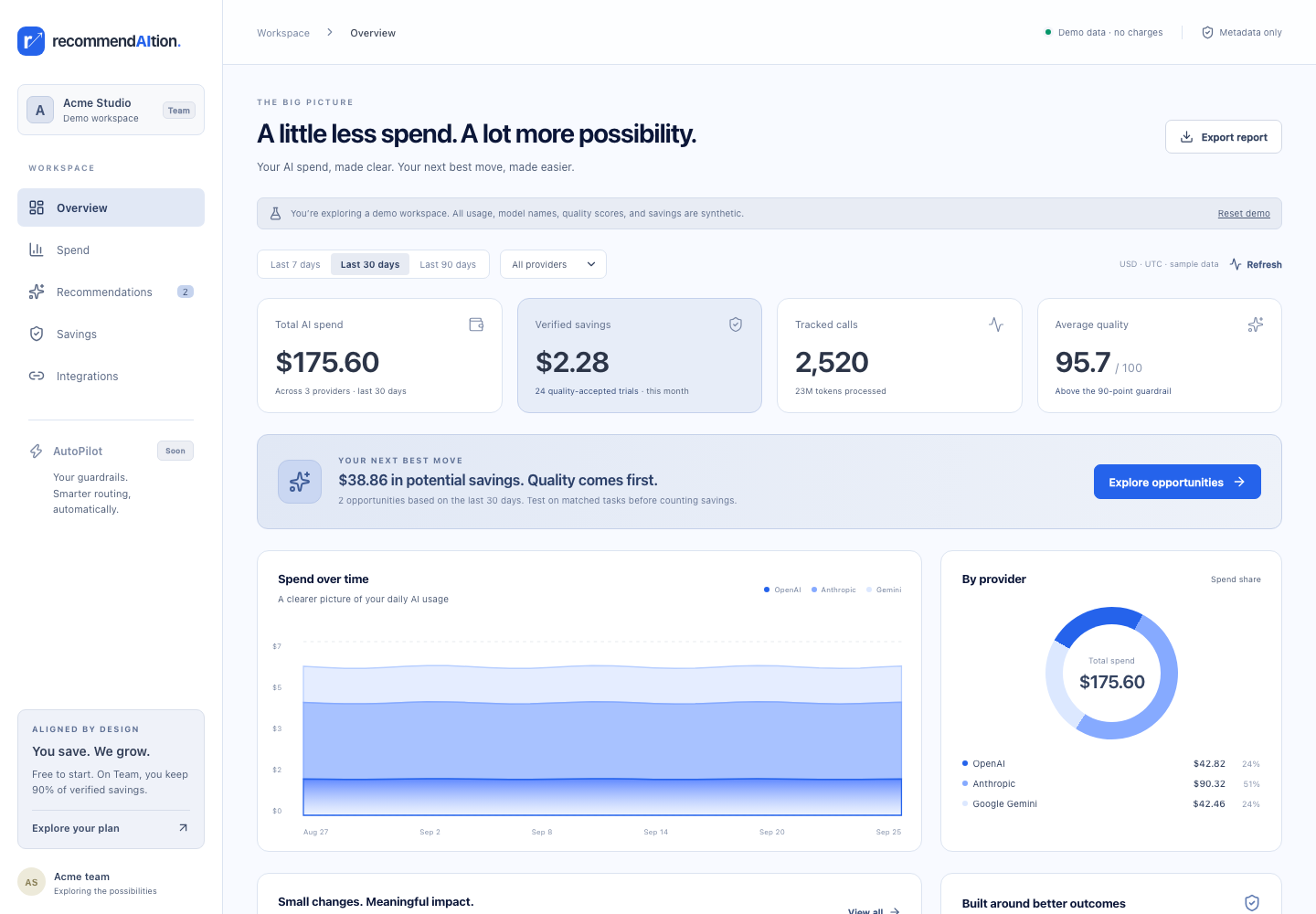
Bring OpenAI, Anthropic, and Gemini usage into one view. See costs by model and workflow, including tokens, latency, and your evaluation scores.
Explore spend →BETTER AI DECISIONS. LESS WASTE.
See what your AI calls cost. Find opportunities to spend less.
Compare model prices, and test whether a cheaper approach meets your quality standards.
No signup needed for the first cost check. No provider keys required.
SUPPORT TRIAGE
Quality clears the gate.
Cost and speed find the best fit.
Cheaper only matters
if the result still works.
That’s why quality is a gate, not a trade-off hidden in an average. recommendAItion helps you find the lowest-cost option that still meets your standards.
Meet your next best move →FROM VISIBILITY TO VERIFIED VALUE
Keep your providers and your workflow.
Add the information to make better decisions.
Bring OpenAI, Anthropic, and Gemini usage into one view. See costs by model and workflow, including tokens, latency, and your evaluation scores.
Explore spend →Compare observed alternatives using the same evaluation rubric. Quality and latency guardrails filter the options. Your team decides what to trial.
Review recommendations →Match a baseline and an alternative on the same task. Include retries and overhead. Count the saving only after the evidence passes.
See the evidence →YOUR AI SPEND, MADE CLEAR
A RECOMMENDATION IS NOT A SAVING
We keep potential savings separate from accepted evidence. Approving an idea doesn’t switch your model, create savings, or trigger a charge.
In the MVP, “verified” means the matched evidence passes the rules and your team accepts the quality. Independent invoice reconciliation remains a future step.
Inspect the savings ledger →Same task. Same rubric.Compare a matched baseline and alternative, not unrelated averages.
Quality and speed protected.At least 90/100 quality, within two points of baseline, and no more than 10% slower.
All-in costs. Losses included.Retries and overhead count. Higher-cost trials offset gains within the month.
Count every pair once.Traceable event IDs and duplicate protection keep the evidence ledger accountable.
ALIGNED BY DESIGN
Free to start. On Team, you keep 90%
of positive monthly verified net savings.
Free
Make every AI dollar easier to understand.
Team
SHARED SUCCESSNo positive net savings? No fee.
AutoPilot
A future step, with quality checks, budget limits, and human control.
Not included in the current MVP. Today, you review and approve each trial.
Current release: a hosted workspace MVP with a public demo. Fee estimates are calculated; payments are not collected automatically. Create a verified account to use your hosted workspace. Demo figures never create charges.
USEFUL DATA. LESS EXPOSURE.
The usage adapter sends model, tokens, latency, costs, workflow identifiers, and evaluation scores. Prompt contents, generated text, and provider API keys stay in your environment.
A FEW IMPORTANT DISTINCTIONS
The demo includes Overview, Spend, Recommendations, Savings, and Integrations. Approve an opportunity, run a simulated trial, inspect its evidence, and export a report. Everything in the demo is synthetic. Create your account to track real usage in a hosted workspace, or download the Next.js MVP for your own deployment.
The engine compares observed usage within the same workflow and evaluation rubric, with at least five scored calls per model and a 95% success rate. Quality and latency must pass the guardrails before cost and speed determine the ranking. These are opportunities to test, not guaranteed savings.
Not automatically. Using fewer credits does not necessarily lower a fixed subscription bill. The FinOps MVP tracks application API usage; a cash-saving claim needs a comparable billing baseline and costs that actually change.
No. You approve every trial and control changes in your application. The MVP calculates fee estimates for review, without charging a card. AutoPilot and automated billing are future capabilities.
They are still available. Open the local task advisor or download the plugin. The advisor helps choose an approach; the FinOps platform measures application usage and tests savings. The earlier multi-AI planner is also preserved.
BETTER OUTCOMES. LESS WASTE.